
Your first conversation
How to ask SpektraBot a question, what to expect in the response, and example questions to get you started.
SpektraBot is a specialist SEND assistant. You can ask it questions about your child's education, their rights, and what support they should be getting. It draws on the SEND Code of Practice, local authority policies, and real guidance from organisations like IPSEA and SENDIASS.
You can ask about any stage. Most children's needs are met through the support their school arranges, known as SEN Support, which runs on a cycle of assess, plan, do, review (the graduated approach). SpektraBot can help you understand that cycle and make it work for your child. It can equally help if your child has an EHCP, or if you are anywhere in the EHCP process.
This guide will help you get the most from your first chat.
How to start a conversation
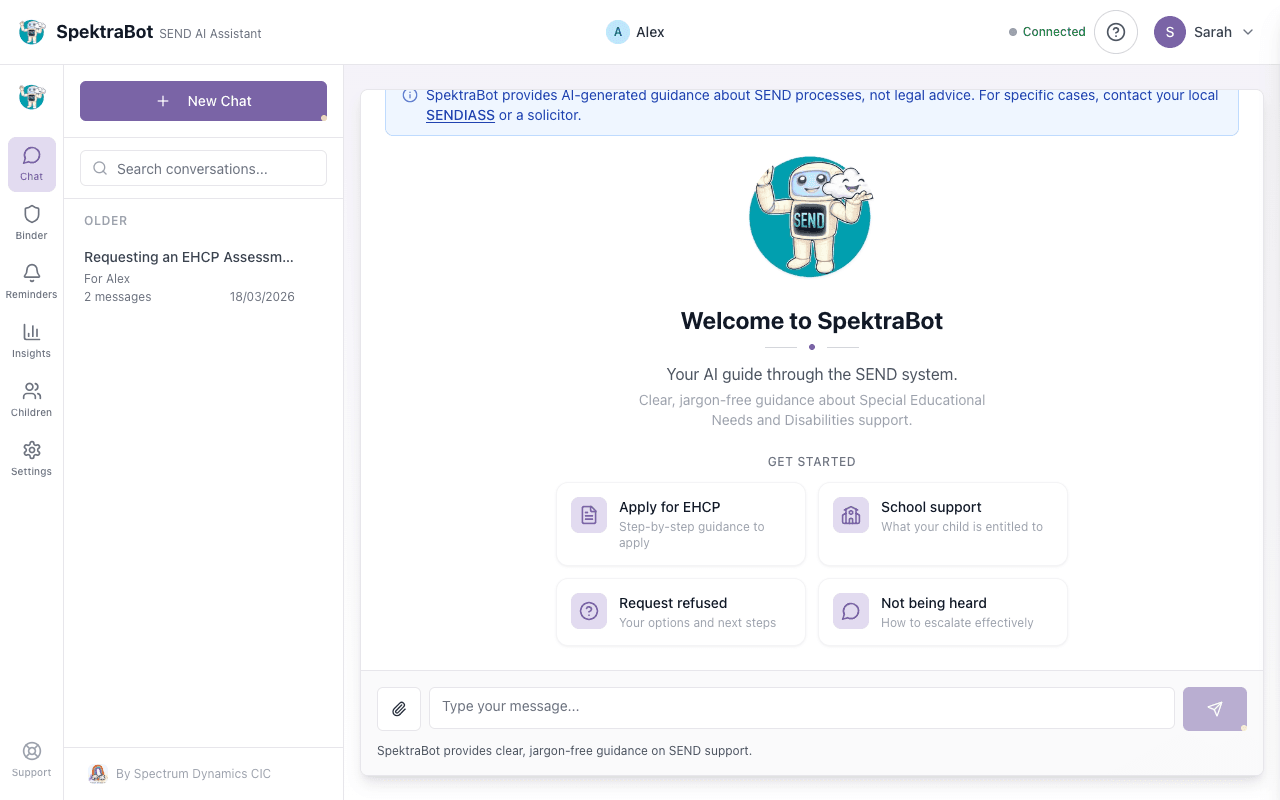
Select Chat from the navigation menu. This opens a new conversation window.
Write your question in the text box at the bottom of the screen. You can type in plain English. There is no special format.
SpektraBot typically responds within a few seconds. Longer questions may take a little more time. You will see a typing indicator while it works.
You can keep the conversation going. SpektraBot remembers what you have discussed in the same conversation. Ask it to explain something in more detail, give you a template letter, or suggest next steps.
What makes a good question
SpektraBot works best when you give it some context. Here are examples of questions that get useful answers.
Specific questions work well:
- 'My son is in Year 2 and is falling behind with reading. The school has mentioned SEN Support. What should that look like in practice?'
- 'My daughter is in Year 3 and has autism. The school says she does not need an EHCP. What are my options?'
- 'The local authority refused to assess my son. Can I appeal?'
- 'Can you write me a letter requesting an EHC needs assessment?'
- 'My child's EHCP says he should get speech therapy, but the school says they cannot provide it. What should I do?'
Broad questions still work, but you will get more general answers:
- 'How does SEN Support work?'
- 'What is an EHCP?'
- 'What are my rights as a parent?'
If you have already added your child's profile, SpektraBot already knows their school, diagnosis, and EHCP status. You do not need to repeat this in every question.
What to expect in a response
SpektraBot's responses typically include:
- A direct answer to your question, written in plain English
- Your rights under the SEND Code of Practice or other relevant law
- Practical next steps you can take
- Where to go for more help, such as your local SENDIASS, IPSEA, or other support services
SpektraBot will sometimes ask you a question back. This is to understand your situation better so it can give more relevant advice.
Things SpektraBot cannot do
SpektraBot is not a replacement for legal advice. It can explain your rights and help you prepare, but it cannot:
- Give legal advice specific to your case
- Contact your school or local authority on your behalf
- Guarantee a particular outcome
- Access your child's school records
SpektraBot is a guide, not a lawyer. For complex disputes, it will point you towards free legal advice from IPSEA or your local SENDIASS.
Example questions to try
If you are not sure where to start, try one of these:
- 'What support should my child be getting at school right now?'
- 'The school says my child is on the SEND register. What should happen next?'
- 'How do I prepare for my child's annual review?'
- 'My child is being excluded from school because of their behaviour. What are my rights?'
- 'Can you help me write a letter to the SENCO about my concerns?'
- 'What is the difference between SEN Support and an EHCP?'
Saving useful responses
If SpektraBot gives you something useful, like a template letter, a list of steps, or an explanation of your rights, you can save it to your binder for later.
Try asking this question in a chat:
“What support should my child be getting at school right now?”