
Your child's timeline
How to add EHCP dates, track statutory deadlines, and understand what the colour codes mean.
The EHCP process is full of deadlines. Your local authority has specific timeframes to respond at every stage, and missing these deadlines is one of the most common complaints to the Local Government and Social Care Ombudsman. The timeline feature helps you track these dates and spot when things are running late.
The timeline is built around the EHCP process. If your child is supported at SEN Support, tracking your concerns and the action tracker cover the record-keeping side instead.
What the timeline shows
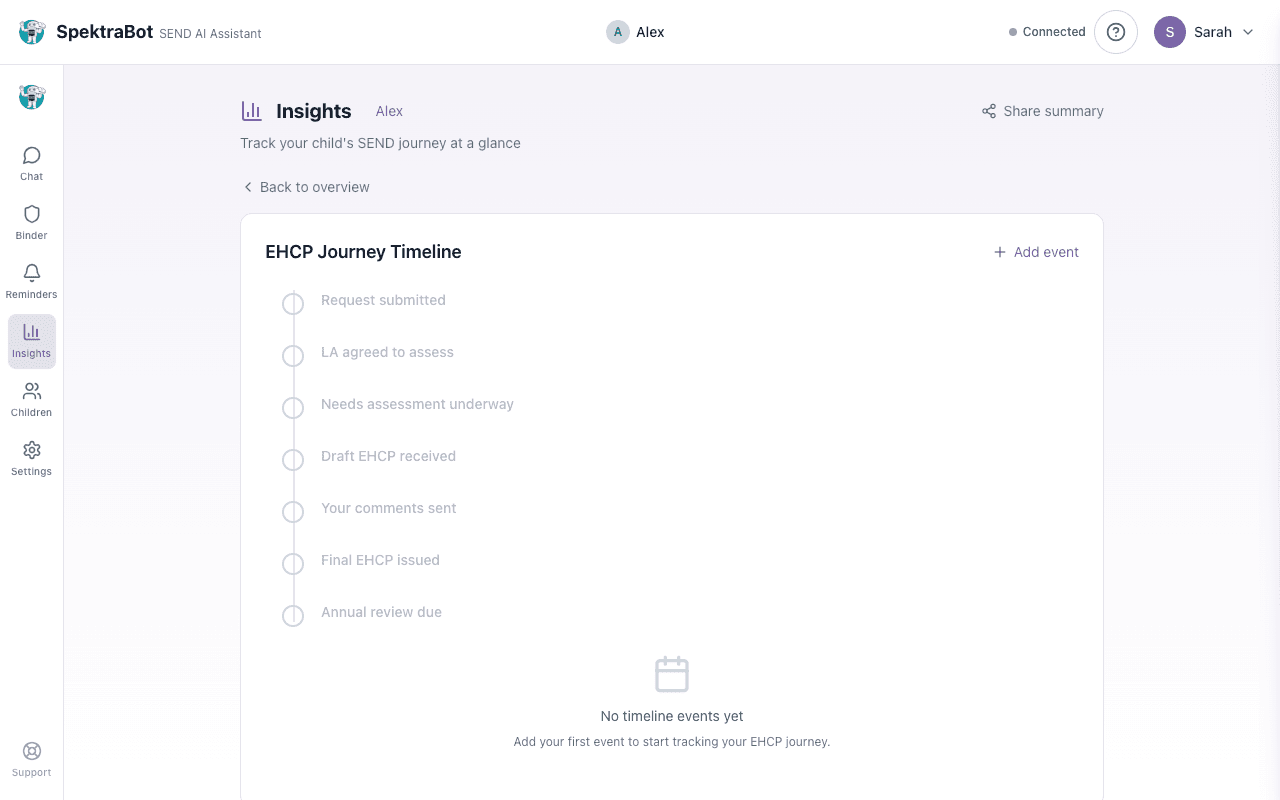
Your child's timeline displays the EHCP journey as a vertical sequence of stages. The main stages are:
- Request submitted
- LA agreed to assess
- Needs assessment underway
- Draft EHCP received
- Your comments sent
- Final EHCP issued
- Annual review due
Additional events like appeals, mediation, and tribunal dates appear in a separate section below the main timeline.
Understanding the indicators
Each completed stage shows whether the statutory deadline was met:
- Green tick with 'On time': The local authority met the deadline for this stage.
- Red tick with 'Deadline missed': The statutory deadline passed before this stage was completed. This may mean the local authority breached the timescale.
- Empty circle: A future stage that has not happened yet. If a request date has been added, expected dates are shown.
If any deadlines have been missed, a red panel appears at the top of the timeline explaining the breach and offering to help you draft a response.
A missed deadline does not automatically mean the local authority has done something wrong, but it does mean you should check what is happening. Ask SpektraBot: 'The 20-week deadline has passed and I still do not have a final EHCP. What should I do?'
Adding events
Select Insights from the navigation menu, then expand the Timeline card.
Select Add event. Choose the type of event from the dropdown (for example, 'Request submitted' or 'Annual review held'). Enter the date and any optional notes.
When you add a request date, the timeline calculates the statutory deadlines. For example, the 6-week deadline for the LA to decide whether to assess, and the 20-week deadline for the whole process.
You can also add dates during a conversation. Tell SpektraBot: 'I sent my EHC needs assessment request on 15 January.' It will add the date to your timeline and work out the deadlines for you.
Statutory deadlines at a glance
Here are the key deadlines the timeline tracks:
| Stage | Deadline | Counted from |
|---|---|---|
| LA decides whether to assess | 6 weeks | Date of your request |
| Draft EHCP issued | 16 weeks | Date of your request |
| Your response to the draft | At least 15 days | Day the draft was served (formally sent) to you |
| Final EHCP issued | 20 weeks | Date of your request |
| Annual review | 12 months | Date of last review or EHCP issue |
| Tribunal appeal | 2 months | Date of the decision being appealed |
Using the timeline as evidence
Your timeline is a factual record of what happened and when. This is useful if you need to:
- Show your local authority that they missed a deadline
- Prepare for mediation or tribunal by demonstrating delays
- Explain the history to a new SENCO, advocate, or solicitor
You can share your timeline as part of your shared insights.
Try asking this question in a chat:
“I requested an EHC needs assessment on 1 February. What are the key deadlines I should be tracking?”