
Understanding your Insights
What the Insights tab shows, how the four cards work, and how to use them to support your child.
The Insights tab gives you a snapshot of where things stand with your child's SEND support. It pulls together information from your conversations, your binder, and any dates you have added. Instead of hunting through old messages, you can see the important things at a glance.
Insights work at any stage. The concerns and actions cards are just as useful for a child supported at SEN Support as for one with an EHCP, and the timeline and plan quality cards come into play if your child is in the EHCP process.
The four cards
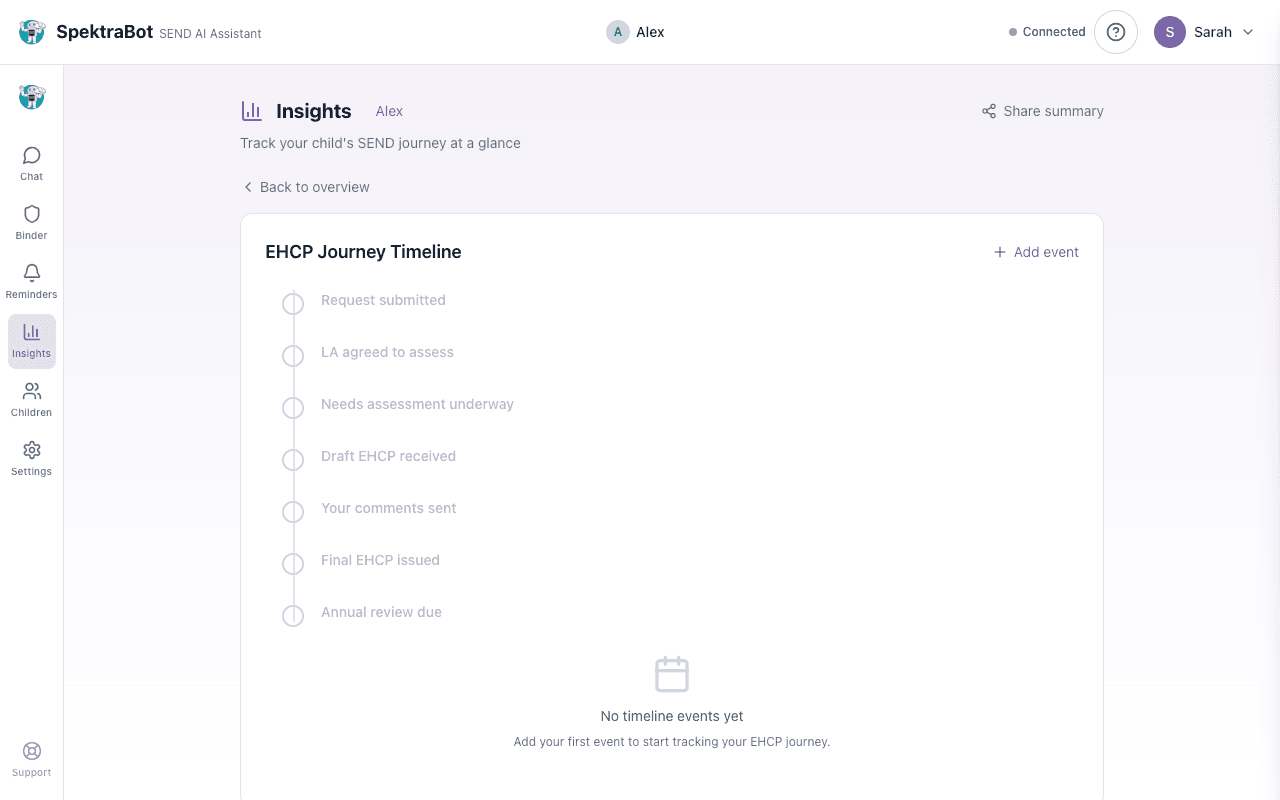
Your Insights page shows four cards. Each one focuses on a different part of your child's situation. Select any card to expand it and see the full detail.
1. Timeline (EHCP Journey)
The timeline card shows where your child is in the EHCP process. It displays the current stage (for example, 'Draft EHCP received') and how many weeks into the process you are. This card only applies if your child is in the EHCP process; the other three cards do not depend on it.
When you expand the card, you see a vertical timeline of key stages:
- Request submitted
- LA agreed to assess
- Needs assessment underway
- Draft EHCP received
- Your comments sent
- Final EHCP issued
- Annual review due
Each completed stage shows whether it was on time or whether a deadline was missed. You can add events manually and SpektraBot calculates the statutory deadlines for you.
2. Plan Quality
This card shows the quality trend of your child's EHCP based on audits you have run using the EHCP audit tool. It shows whether quality is improving, stable, declining, or whether no audits have been completed yet. Upload your EHCP to start tracking quality.
3. Concerns
This card shows the concerns you have raised about your child's education or support. SpektraBot picks these up from your conversations automatically. For example, if you say 'the school is not providing the speech therapy in the EHCP', that will appear as a concern.
You can also add concerns manually. Each concern shows:
- What the concern is about
- How many conversations it has been mentioned in
- How long it has been open
- Whether it has been resolved
This builds a record over time. It is useful when you need to show a pattern to your local authority, SENCO, or at a tribunal.
4. Actions
This card tracks what you have done and what happened as a result. Actions come from two places:
- Things SpektraBot picks up: When you tell SpektraBot what you have tried, it can log it as an action.
- Things you add yourself: You can log anything you have done, such as attending a meeting, sending an email, or requesting an assessment.
Each action has an outcome: in progress, worked, or did not work. If something did not work, SpektraBot can help you draft a follow-up.
The Insights page has a Share summary button at the top. This creates a read-only link you can send to your SENCO, an advocate, or anyone helping you. See Sharing your insights for details.
How Insights build over time
Insights are not a one-off snapshot. They grow as you use SpektraBot. The more conversations you have and the more dates you add, the more complete the picture becomes.
After a few weeks of use, your Insights page becomes a record of:
- What has happened with your child's SEND support
- What you have tried
- What worked and what did not
- What the school or local authority has (or has not) done
This is exactly the kind of evidence that matters at SEN Support reviews, annual reviews, mediation, or tribunal.
Sharing your Insights
You can share your Insights with people who are helping you, such as your SENCO, an independent advocate, or a solicitor. See Sharing your insights for how this works.
Try asking this question in a chat:
“Can you show me a summary of my child's current situation?”