
Setting reminders
How to create reminders in SpektraBot for EHCP deadlines, annual reviews, and follow-ups.
The SEND system runs on dates. At SEN Support, the school should be reviewing what is working for your child regularly, and promised support has a way of drifting when no date is attached to it. In the EHCP process, the deadlines are statutory: local authorities have 6 weeks to decide whether to assess, EHC needs assessments must be completed within 20 weeks, and annual reviews happen once a year. Missing a date, or not knowing when one has passed, can cost you time and momentum.
SpektraBot helps you track these dates so nothing slips through the gaps.
What reminders are for
Use reminders to track:
- Statutory deadlines: When the local authority must respond to your request or complete an assessment
- Annual review dates: When your child's EHCP review is due
- SEN Support reviews: When the school said it would review what is working as part of the assess, plan, do, review cycle
- Follow-ups: When to chase a response from your school, SENCO, or local authority
- Tribunal deadlines: Time limits for registering an appeal or submitting evidence
- Your own actions: Things you need to do, like gathering evidence or booking a private assessment
How to create a reminder
The easiest way is to ask during a conversation. For example: 'Remind me in 6 weeks to chase the local authority about the assessment.' SpektraBot will suggest a reminder for you to confirm.
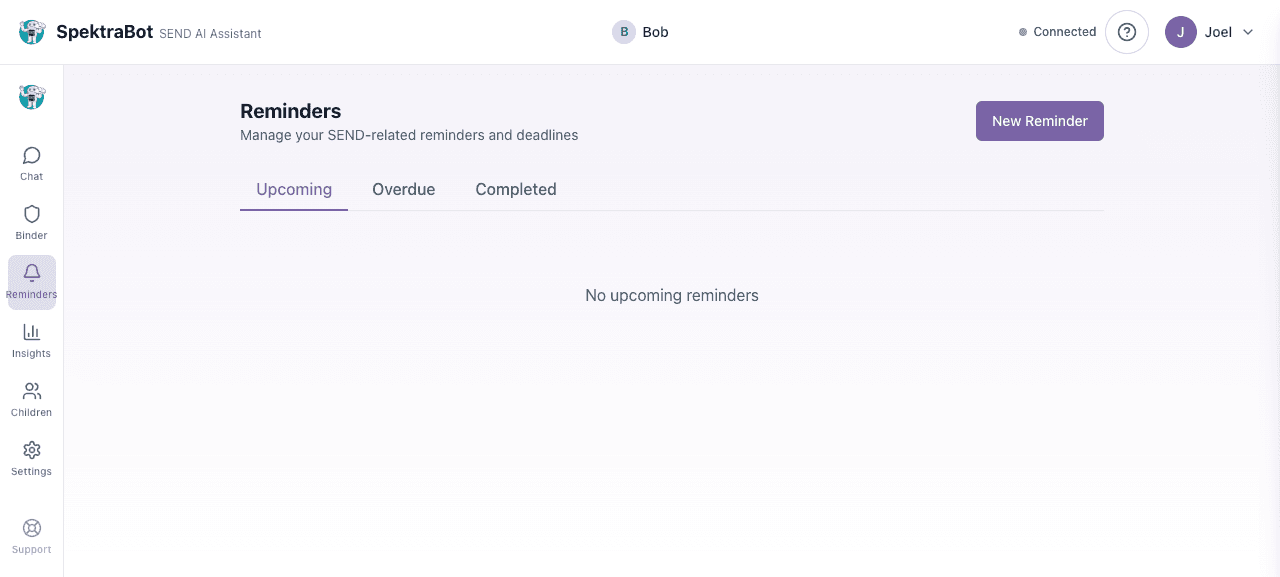
Go to Reminders from the navigation menu. Select New Reminder. Enter a title, an optional description, choose a due date, and save. You can also set a reminder to repeat (weekly, monthly, termly, or annually) and link it to a specific child.
Your reminders page has three tabs: Upcoming, Overdue, and Completed. Check the Overdue tab regularly to make sure nothing has slipped.
When SpektraBot tells you about a deadline, it will often suggest creating a reminder automatically. Just confirm and it is done.
Key deadlines to track
If your child is going through the EHCP process, these are the deadlines worth setting reminders for:
| What | Deadline | Why it matters |
|---|---|---|
| LA decision to assess | 6 weeks from your request | If they do not respond, you may be able to escalate |
| EHC needs assessment | 20 weeks from the date of your request | The local authority must issue a final EHCP within this time |
| Responding to draft EHCP | At least 15 days from the day the draft is served (formally sent) to you | You have at least 15 days to comment on the draft plan |
| Annual review | Once per year (set by the school or LA) | Your chance to request changes to the EHCP |
| Tribunal appeal | 2 months from the decision you are appealing | You must register your appeal within this window |
Managing your reminders
From the Reminders page, you can:
- View all reminders: Switch between Upcoming, Overdue, and Completed tabs
- Mark as complete: Select the tick button to mark a reminder as done
- Snooze a reminder: Push a reminder back by 1, 3, or 7 days if you need more time
- Delete a reminder: Remove it entirely
Reminders from conversations
SpektraBot is good at spotting when you mention a deadline. If you say 'I sent the request last Monday', it will work out when the 6-week deadline falls and offer to set a reminder. You can accept or decline.
Try asking this question in a chat:
“I sent my EHC needs assessment request two weeks ago. Can you set a reminder for when the local authority should respond?”