
Tracking your concerns
How SpektraBot detects concerns from your conversations, how to add your own, and how to mark them resolved.
When you talk to SpektraBot about problems with your child's support, it notices. If you mention that the school is not providing speech therapy, or that your child is being sent home early, SpektraBot logs these as concerns. Over time, this builds a record that can be valuable at annual reviews, in meetings with the local authority, or at tribunal.
How concerns are detected
SpektraBot picks up concerns from what you say in conversation. For example:
- 'The school keeps sending my son home at lunchtime' becomes a concern about potential informal exclusion
- 'The school agreed extra reading support at the last review but it has not started' becomes a concern about SEN Support not being delivered
- 'The EHCP says 3 hours of 1:1 support but he is not getting it' becomes a concern about provision not being delivered
- 'I asked for an assessment six months ago and have not heard back' becomes a concern about local authority delays
You do not need to do anything special. Just talk to SpektraBot as you normally would, and it will identify concerns for you.
SpektraBot suggests concerns but does not add them without your knowledge. You will see a prompt asking if you want to track the concern. You can accept, edit, or dismiss it.
Adding concerns manually
You can also add your own concerns at any time:
Select Insights from the main menu, then choose the Concerns card.
Enter a short description of the concern. For example: 'School refusing to provide the OT sessions listed in Section F.'
You can add notes, dates, or context. This is helpful when building evidence over time.
Viewing your concerns
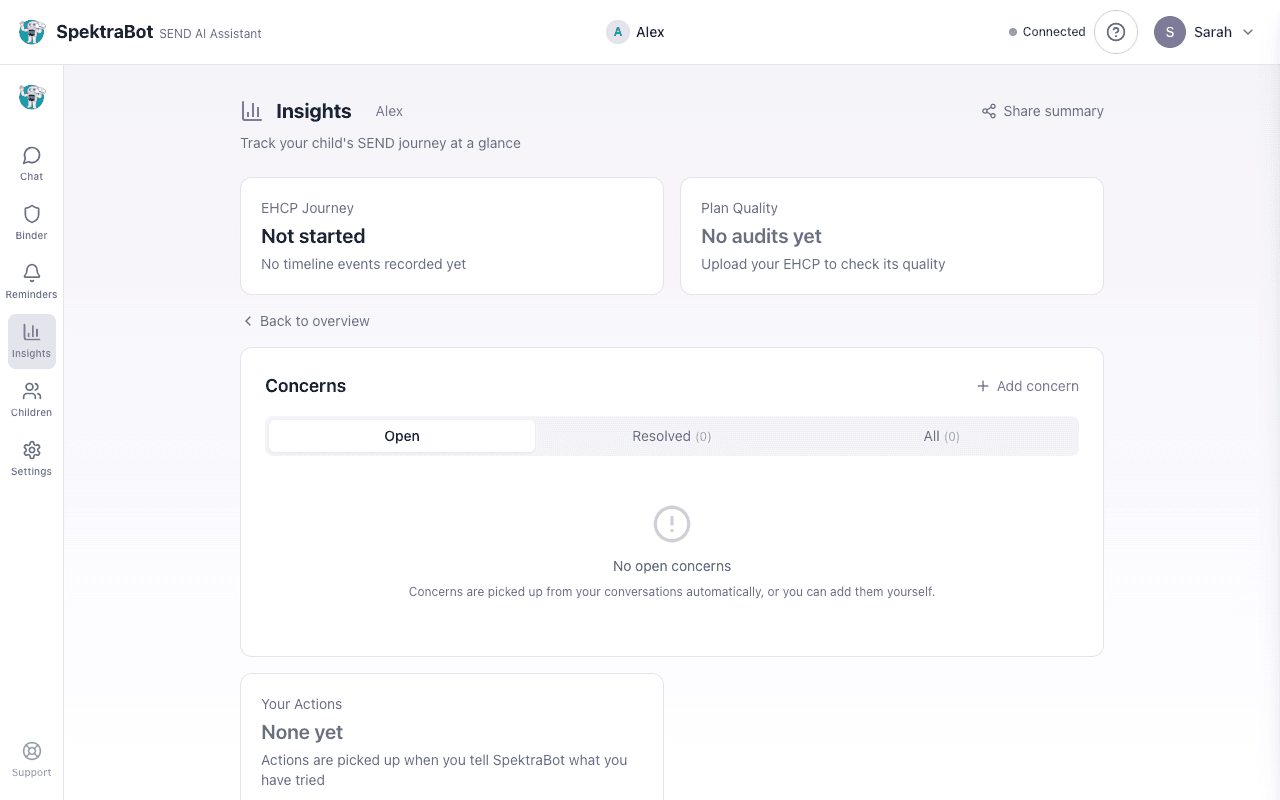
The concerns card has three tabs: Open, Resolved, and All. Each concern shows:
- Title: What the concern is about
- Description: Any additional detail you added
- Mentions: How many conversations the concern has come up in
- Days open: How long the concern has been active (concerns open for 30 days or more are highlighted)
From each concern, you can also select Discuss with SpektraBot to jump to the chat, or Draft complaint letter to get help writing a formal response.
Marking concerns as resolved
When an issue is dealt with, select Mark resolved on the concern. This does not delete it. It moves it to the Resolved tab so you can still reference it later. You can reopen a resolved concern if the issue comes back.
Why tracking concerns matters
A list of concerns, with dates and context, is stronger than a vague feeling that things are not right. It helps you:
- Prepare for meetings: Walk into an SEN Support review or an annual review with a clear list of unresolved issues
- Demonstrate patterns: Show that problems are ongoing, not one-off incidents
- Support formal complaints: If you complain to the local authority or the Local Government and Social Care Ombudsman, a documented record of concerns carries weight
- Build a tribunal case: If it comes to an appeal, your concern log is part of your evidence
Try asking this question in a chat:
“The school keeps sending my child home early. Can you help me track this as a concern?”